

























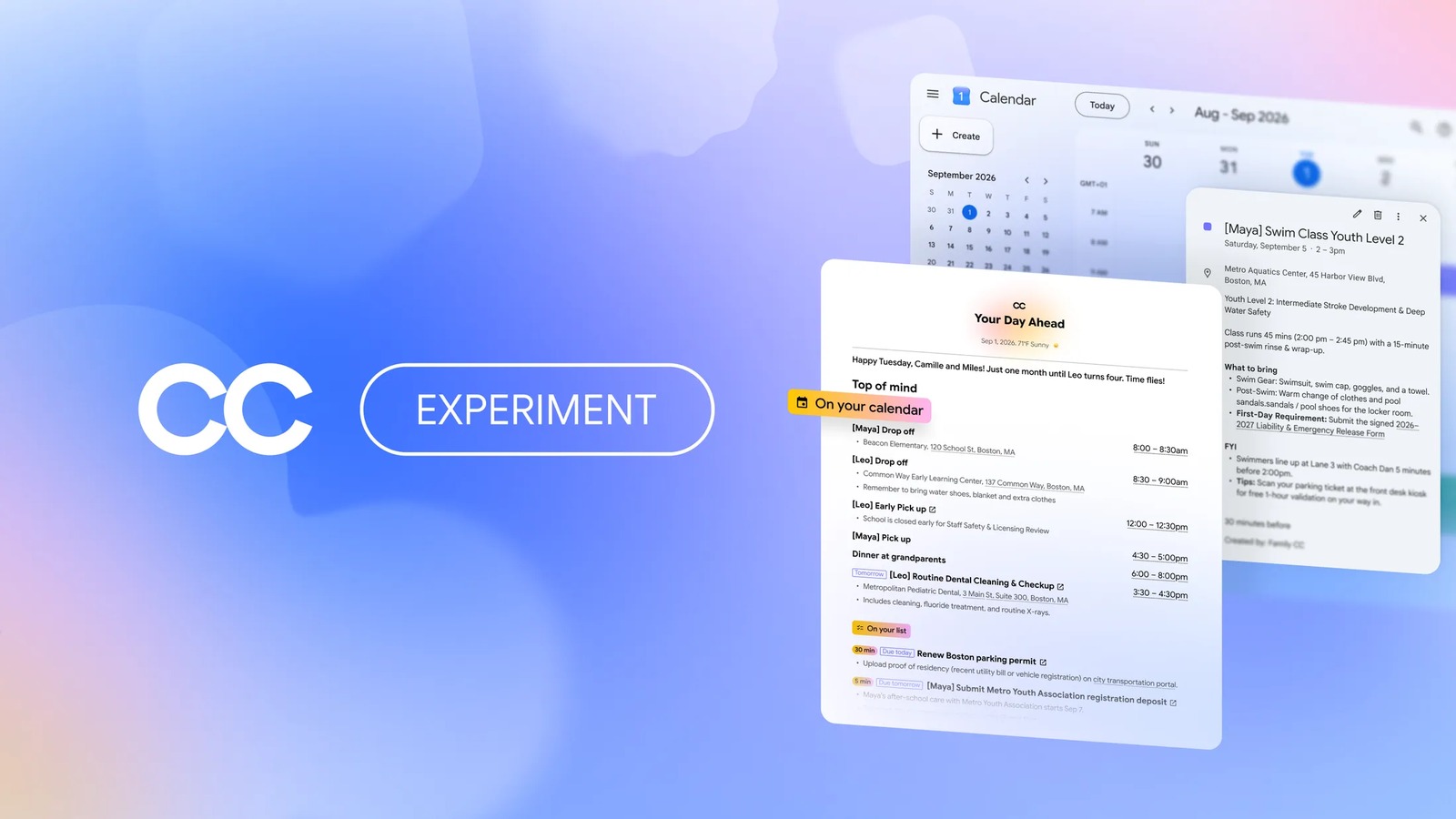
Google CC is getting a second life as a shared AI agent for families. Google Labs announced on September 17 that CC now has its own Google account, and up to six household members can work with it. Each person decides which emails the agent sees. CC then turns that information into a shared morning brief, a family calendar and a task list.
CC first launched in December as a personal productivity agent. In May, Google folded that idea into the Gemini app as Daily Brief. Tom Shane, a senior product manager at Google Labs, explains the pivot plainly. “One of our top user requests was for CC to do more to help run a busy home,” he wrote.
What Google CC does for a household
Every morning, CC emails the whole group a “Your Day Ahead” brief. It lists who needs to be where, what still needs doing and what CC finished the day before. In addition, it pulls dates and to-dos into a shared CC calendar and task list, and keeps them current as plans change.
CC can also take on chores. For example, Google says it can fill out permission slips and activity registration forms, build school supply lists and plan weekly meals. When details are missing, it asks, then stores the answer in a shared group memory for next time.
What it can see, and what it cannot
Privacy is the design problem here, and Google leans on a narrow permissions model. CC reads only mail from senders a member approves, such as a child’s school, or messages forwarded to it directly. Meanwhile, members get a weekly private list of new senders to approve or ignore.
The CC FAQ spells out the limits. CC cannot log into or search anyone’s inbox. It can pre-fill a form, but it cannot sign it, submit a payment or enter card details. It also will not send files outside the group without a member’s approval, and it leaves personal calendars alone unless someone shares one.
One detail is easy to miss, though. Deleting an email in Gmail does not remove it from CC’s memory. To clear that data, a member has to delete their CC account. Likewise, a group cannot drop a single member after they join, so changing the roster means deleting the whole group.
How it runs, and who can try it
Each CC runs on its own isolated cloud computer, using Google’s Antigravity agent harness and current Gemini models. As a result, it can check live drive times through Google Maps or create shared Docs and Sheets. It also joins a crowded field of assistants, from the Gemini app now on Windows to ChatGPT’s scheduled tasks.
CC remains a Labs experiment. It works on web and mobile for adults 18 and older in the US with a personal Google account, and every group member must also be 18 or older. Existing users will get an email invite in waves, and upgrading is optional. New users can join the waitlist.